5 Jul 2019

Pathways and Online clubs

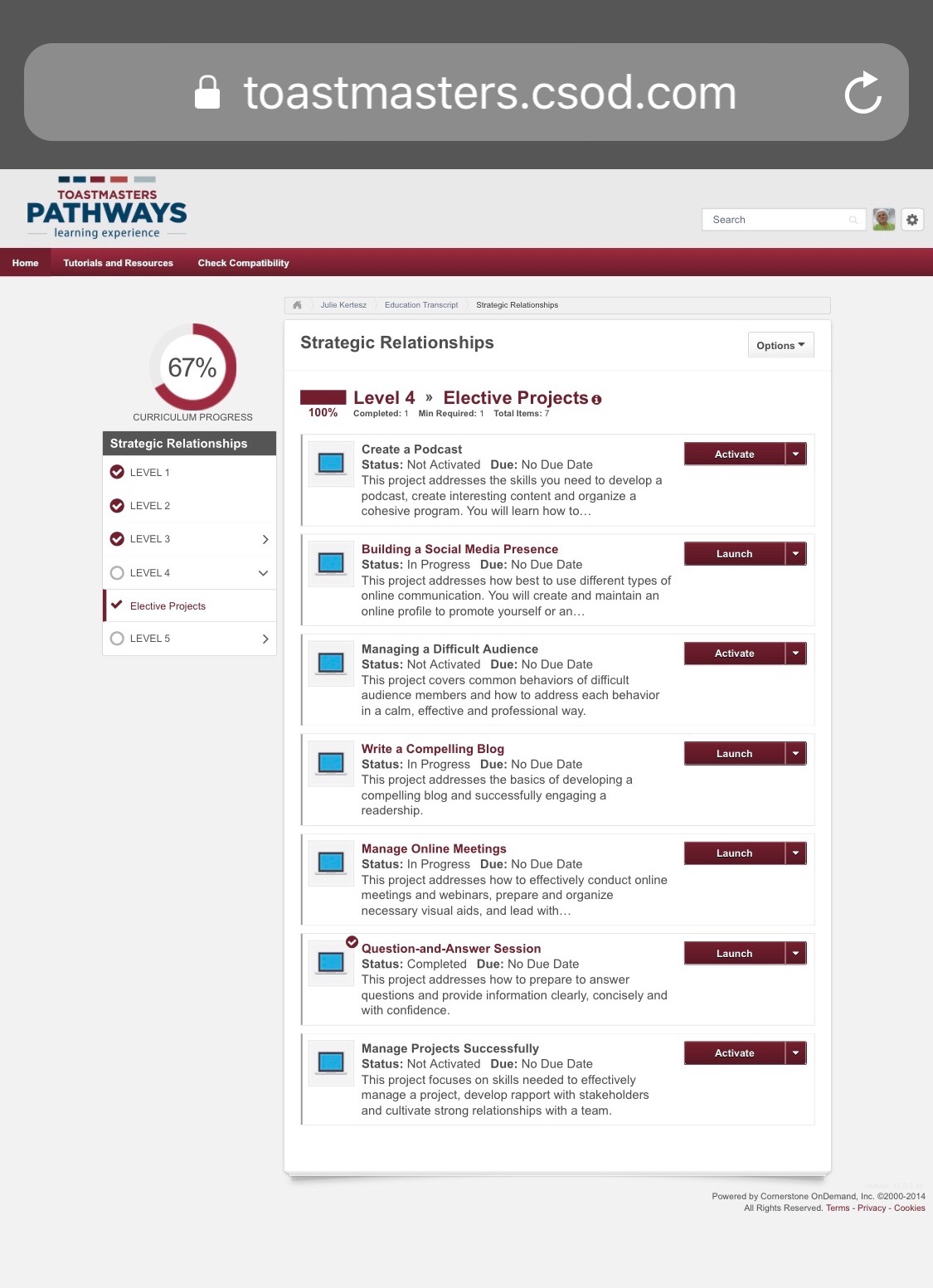
Today, I mentor a new toastmaster home, then have an online committee meeting. What is different for Online relative to Pathways? 

First, all online clubs are in U - undistricted and got pathways only in May last year: the last Region to "roll out" the new Education Program. 
Yellow Rectangle added by me

Second, many of the clubs members are already 100% "in" and were even before Pathways arrived to them. Some have finished paths, others go slower but at least in parallel with the traditional program, no one has to be "pushed" to go use online program.

Third, many of the online toastmaster club members are in more then one club, and often, very far from each other. So, what does it mean? First, we can choose the club we are in from our Profile, "Welcome, Julie" before clicking Go To My Basecamp. Also, if we are President or VP Education or Secretary, before we click on the same with the small square "As Base Camp Manager" crossed. 

One enter Basecamp Either as MEMBER - Or as Base Camp Manager, and one has to EXIT "logout" from BC to change one or the other. That is for all.

What other is important for online clubs? The Evaluation forms fillable FFF Online, on the web, that we can then send to another (through a Web chat or Message or Email or Zoom Chat). Alas, as for now, the Evaluation forms from the section YOUR Evaluation inside the project are there to save or print but are not "fillable". To obtain those easy to fill, we have to go to the Training and Resources (clicking the grey name under it). Then choose Evaluations, and then English and go in alphabetical order to the Project needed. 

Click on Launch then save it, if possible with a shortened name. I usually add the Path two beginning letters to it, and, when it arrives back filled, my evaluator name. 

Are they other specifics to Online clubs? 

We are more used to create online meetings... write blogs or create panels. Level 4 new methods more familiar to us. I enjoy a lot the combination of Pathways with Online clubs.

This morning was the first time I coached to Pathways and Basecamp after the new "opens in a new tab" arrived: it makes all so much easier! Together with the Go to Base Camp from our Profile, there are huge improvements. I noticed more what still needed to be added, will speak of them tomorrow.

4 Jul 2019

Going deeper into Project in Tab

Discovering that we may get from now Projects and Resources in New Tab, automatically was a great joy to most of us, and a collaborative effort as all of us tested it out and added new comments.

Remember? And be aware, this comes only once, not again and again.

It does work well on Safari in Mac, on Chrome also, and so on. We were all happy till come a complaint: It does not work on a vertical window.

I tried it out, on my iPad held vertically (rare for me) and got this:

In fact, all went well till I opened a Project.

Then, I got suddenly this instead of my project!

For the iPad it was easy, I turned it horizontally, like I use it most of the time.

And suddenly the project window reappeared.

See bellow.

As soon as I turned it again in horizontal way, the Project reappeared as it was the first time.

And I got my next project window, that I was reading.


Indeed, my next project is Public Relations and a project explaining me how to. But then I asked more questions from Oren, unhappy about the change. As we got deeper, I understood that he uses a Macintosh, almost like mine, his screen is horizontal as mine, but... he uses a Split Screen. That makes two VERTICAL windows.
I begun to experiment myself, and NO I will never again split my window in two even if possible. I tried once and for me it does not work: the characters too small to be able to work with them. 
When I take my window, of course I can change it horizontal or vertical, smaller or bigger. With Square still ok, more vertical, the "does not work" appears instead of the page of the Project. I also tried what happens if I open the window bigger then needed for the two arrows to appear: surrounded by white. No problem. And of course at any time I can do Command + or Command - and it is the content that changes bigger or smaller. It is not easy to satisfy all tastes and usages

Continuing the Collaboration in the Pathways Forum, I received this from Cajetan:

So when one of the windows is at least square or more horizontal, there is not problem. That does not depends on Mac or not Mac, depends how you open one of the two windows.
But when I change from Horizontal to Vertical outside Basecamp or Project, no problem, and no problem as you see, when I am not INSIDE a PROJECT nor with this blog that can be viewed best vertical even then horizontal but both work. Accommodating all tastes and usages it not easy, but can be done. Will, with time.

For the moment, the next step for me would be to get Projects work on smartphones. The Navigator works on it, the Choose a Path works too. Projects do not - yet. I am optimist. 

But when I change from Horizontal to Vertical outside Basecamp or Project, no problem, and no problem either with this blog that can be viewed best vertical even then horizontal but both work. Accommodating all tastes and usages it not easy, but can be done. Will, with time.

For the moment, the next step for me would be to get Projects work on smartphones. The Navigator works on it, the Choose a Path works too. Projects do not - yet. I am optimist. 

And of course, you know, this blog works in both positions, Horizontal or Vertical. They look a bit different, but they can be read as we want, on any device you want.

VERTICAL
 HORIZONTAL
Which one you use?

It will be some other beginning of month and we will have yet some new features. For the moment, let us rejoice for what we got. 

Lot less problem for those who are not "windows savy" we got tabs instead, that we close when finished. And remember, we also got a super fine login to all through our Profile, Welcome, Julie for me. It is celebration day (in usa) let us CELEBRATE.

3 Jul 2019

Popup in Tab now : July gift from TMI Summit team


In plus,  From the TMI July email to all leaders. So now it is "official", the method I recommended for a while already. "Easier Access to Pathways - Have you logged in and visited your Toastmasters profile recently? The Summit Team has added an exciting new feature to help make Pathways easier to access. Now, you can navigate to Base Camp, choose a path (or purchase an additional one), and view The Navigator—all from your profile! Watch this informative video to learn more."  

I wrote about Tabs already, a year ago, 2018 July POST, and a day before, 26th.

And now, this beginning of July the TMI Summit Team gives it to all of us. 


"Is it true, is it true?" That was my reaction first when I have seen Kim's announcement. 

I got fast up from my bed and opened my own pathways. 

Of course, starting from my Profile: Welcome, Julie as now is recommended by TMI too.

I got what I show you in front of this post, wow. 
We do not have to configure any more, one by one our browser and figure out how to do it, as I wrote in this blog and discussed in the Pathways Forum with different toastmasters helping in.
It opens as big as the window you are in. Try out! Enjoy as we do who tried already in different browsers and devices. Not working on smartphones yet.